Snow Leopard was peak computer


I remember back when I was in school, just getting into computers. I didn't have a decent one at home yet, and I gazed upon these machines with awe and wonder as aspirational devices.
The one device I wanted more than any other was the White MacBook. Oh what a beauty it was! It looked sleek, futuristic, solid. The fact that it was out of reach for me financially at that point only increased its appeal.
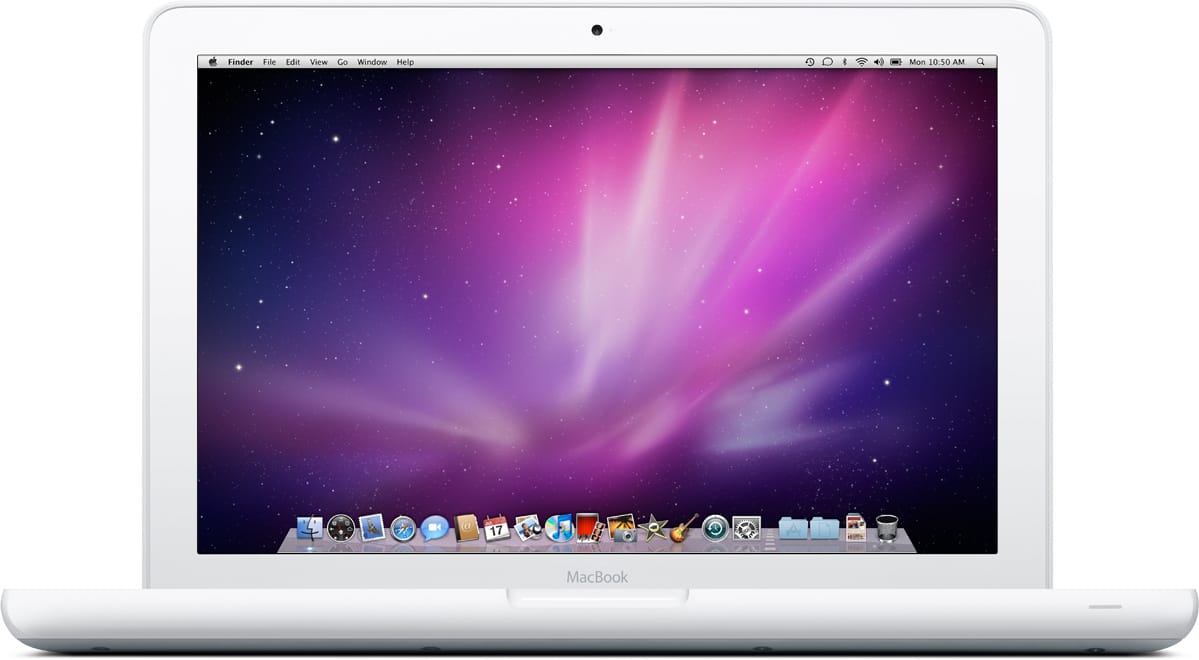
Also, Mac OS X from that era was an amazing operating system! Microsoft was off blundering with Vista, so the primary alternative you saw was the Fisher-Price-looking Windows XP. It was hardly a competition.
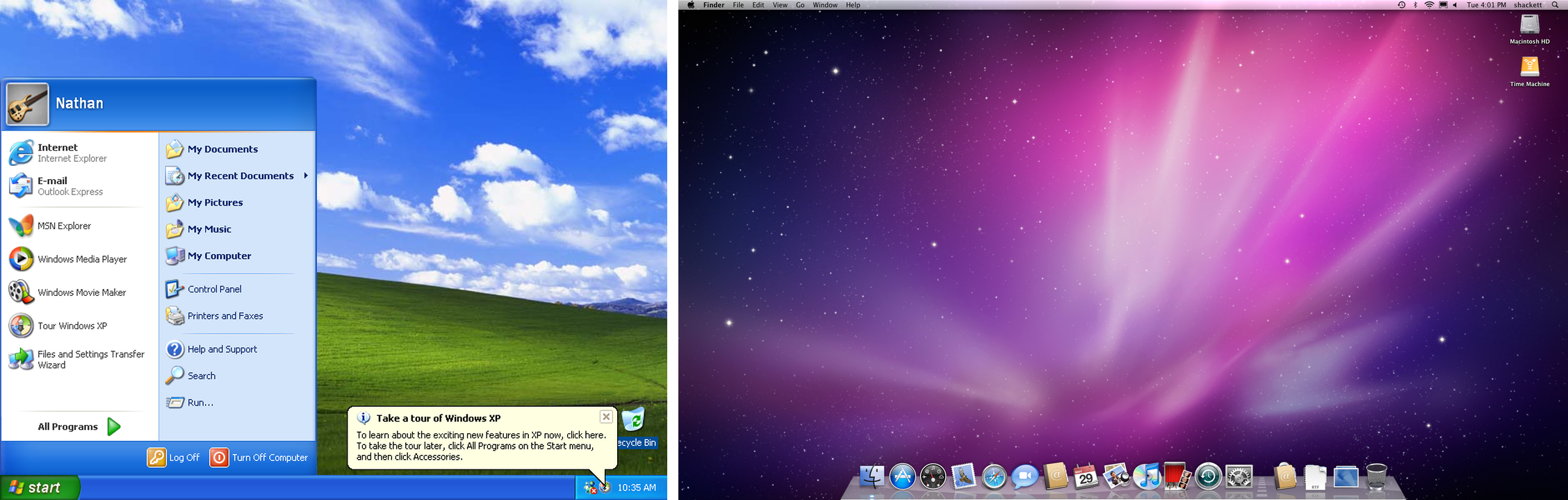
I still reminisce from time to time about those days, how I would visit computer cafes and many of those visits would end up with me going to apple.com and window shopping the pages for the MacBook and for Mac OS X Snow Leopard. I dreamed one day of owning a machine with Snow Leopard.
You know, looking back on it, I spent months and years trying to get Snow Leopard running on my Windows laptop. I tried VirtualBox, vmware, hackintosh installs. I learned about kexts, bootloaders, file systems, graphics drivers, and spent ages on the tonymacx86 forums. I never did get to enjoy Snow Leopard, but my desire to use it likely played a big role in what eventually led me into my current career making software.
Over the last few years, I’d randomly visit Olx (Indian equivalent of Craigslist) and search for White MacBook, and no one was selling them. I even asked used Mac dealers and apparently no one appreciates the charm of this big plasticky hunk of laptop that is so cute you could eat it up!
So when, a couple weeks ago, a random search returned a result, I wasn’t gonna pass it up. That 12 year old girl deserved to have the White MacBook of her dreams. It’s 17 years late, but better late than never :)
Using Snow Leopard
This operating system is loaded with nostalgia for me.
Snow Leopard feels solid and dependable. It feels like a powerful piece of software. Yet, it also feels friendly, welcoming, and charming. Putting the latest macOS side by side, current macOS feels like a flimsy dumbed down toy. We’ve swung way too far into the minimalism territory.
There’s so many little details that make Snow Leopard charming.
Traffic lights
The traffic lights feel like little pieces of candy embedded into the window chrome.

Scrollbar
The scrollbar, all I can say is, I get what Steve Jobs meant about designing an interface you wanted to reach out and lick. There’s so much character here compared to the disappearing grey pills we have now.
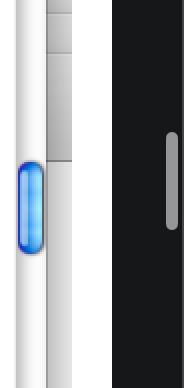
Also, the way it travels, it’s interesting to just watch it move, you know? I cannot say that for scrollbars today.
Menu bar
I was also so in love with the Snow Leopard menu bar, specifically the translucency effect!
It would reveal pieces of the wallpaper behind it, and it added a lot of personality to the interface. I would choose wallpapers that worked well with the menu bar. On my hackintosh, getting that menu bar translucent was the biggest hassle, and one I never overcame on my Dell laptop.

Gaze upon the beauty! Look at it! So pretty :’)
I chose wallpapers with texture so that I could FEEL the translucency, flat color regions behind the menu bar just made it look tinted and that didn’t feel quite as cool, you know?
Dock
The Dock was also a work of art. There were apps on windows that were quite popular, that attempted to emulate the Mac dock, like Rocket Dock. Somehow they never quite hit the spot.

The shape, the reflections, the metallic vibe, the lights indicating open apps, I could rave about the design of this dock for ages! The Trash Can was iconic!
These days everything needs to look “uniform”, in the name of minimalism we’ve sucked all the joy out of computing. Compare the Snow Leopard dock to the current macOS dock.

Look at the icons too. All the Snow Leopard era icons look like objects. They feel tangible, you can tell them apart at a glance, they feel real. The new ones are all similar looking rounded rectangles. They’re icons, clearly, and they play it super safe in a bad way. I understand it looks neater, but it also puts the computer first, rather than the task. Fitting everything into the same mould makes the computer the center of your world, instead of relating it to the jobs you’re doing and the real world objects you already know. It reflects a different era, and it makes me feel a bit sad.
Genie effect
The dock also had this genie carpet effect where windows flew in and out of it when you minimized and maximized them. Again, another little bit of “microinteraction” that made me probably minimize and maximize windows far more often than I needed to, just to see the cool animation :D
There were so many little touches like this. Bits of joy and sparkle in your everyday interactions with computers.
I firmly believe Mac OS X Snow Leopard was PEAK COMPUTER. Using it feels joyful in a way modern operating systems don’t. Nostalgia may be shading a lot of my experience here, but I know it’s not just that. Snow Leopard belongs to an era where computers were amazing wonderful machines, that many of us were eager to interact with. Before they became obligations. Before they became clinical and optimized for the wrong things.
Btw, did I mention that Snow Leopard is from before the time where the cloud overtook everything, and before desktop OSes had notifications?
In 2026, Snow Leopard is a joy to use. It’s impractical, unusable for most tasks, but where you can use it, it’s a sight to behold. It belongs to an era where computers were magical, and not yet fully mainstream. A lot of work went into making them feel approachable and welcoming, and perhaps no one did a better job at that than Steve Jobs.
Using Snow Leopard in 2026 is a hassle. Most websites won’t load. Most software won’t run on it. What websites do load often are laggy as hell.
With that aside, here’s my setup.
Browsing
For web browsing, I’ve used PowerFox. It’s a Firefox port that works on Snow Leopard and other old versions of Mac OS X. PowerFox works just fine with modern websites.
Where you do run into issues is the compute demands modern websites place on your devices. A lot of these modern websites apparently need to consume insane amounts of CPU and RAM, so a lot of them will just not load anyway. Or when they do, interacting with them might be painfully slow. I was writing this post on my Ghost blog, and each keystroke was visibly laggy. Why does a simple text editor need so much processing power? I don’t know. As I said, we’re well past Peak Computer in 2026.
Also, do not log into any of your important things on these machines. They’re dangerously outdated, vulnerable to all kinds of attacks, things that have been otherwise patched for years.
Writing
After Ghost was being super annoying, I downloaded iWork ’09, and I’m now typing this on Pages. I like this a lot. It feels intentional, clean, focused. Almost like a typewriter. I don’t find anything missing here. It makes me think a lot of software could be just, “done”, you know? Back when you had to ship software updates with physical spinning disks, software developers were way less carefree and you had software that could genuinely be considered “complete”. Today, you have todo apps with new releases every week.
But I digress. Using software from this computer era is a joy. It’s fast, snappy, even on a spinning disk, with a processor that’s 10 to 15 times weaker than the processor in the MacBook Neo (which I also love, btw). Yet it runs fully featured web browsers, word processors, iTunes, even Xcode!
Coding
I was hoping to have some fun with agentic coding on this device, but to my dismay, none of the modern coding agent harnesses would run on this device. Claude Code to the rescue anyway! I got it to write a lightweight agentic coding harness with the bare minimum things I needed, and with that I’ve written a 2048 clone and Space Invaders within minutes already. Talk about teaching an old dog new tricks, eh? :P
It is kinda weird to do though, spiritually. Agentic coding has come to represent the other extreme end of computing. Sloppy, haphazard, throwaway software. In a world where software is no longer a wonderful enabler, but a monster, putting people out of jobs.
All that aside, it is funny (and really fucking cool) to see agentic coding on a device from 2010.
I already had it write an autojump clone because autojump was pulling in a whole new heavy version of Python 3. See, that’s what I mean. Can’t autojump be a simple bash script? Where is the concern for the end user? :(
Anyway, here’s me using my homegrown harness to code up Ms Pacman on Snow Leopard in minutes. Ignore the terrible gameplay, I never knew the objective of the game.
Conclusion
Liquid Glass and its light refractions have given me a similar urge to just play with the user interface, and these experiences, decades apart, make me think about what interacting with computers should feel like, what emotions it should evoke. We’ve started to treat these devices and applications on them as clinical interactions devoid of personality, and while we gained a ton of functionality and capability along the way, maybe we should take some time out to think about what we’ve lost.
In 2026, I’m not gonna use this machine for much. But it took me back to a different world, one where computers represented awe and wonder, and felt magical. Maybe we can bring some of that magic back into computers in 2026?